COLLECTION PAGES
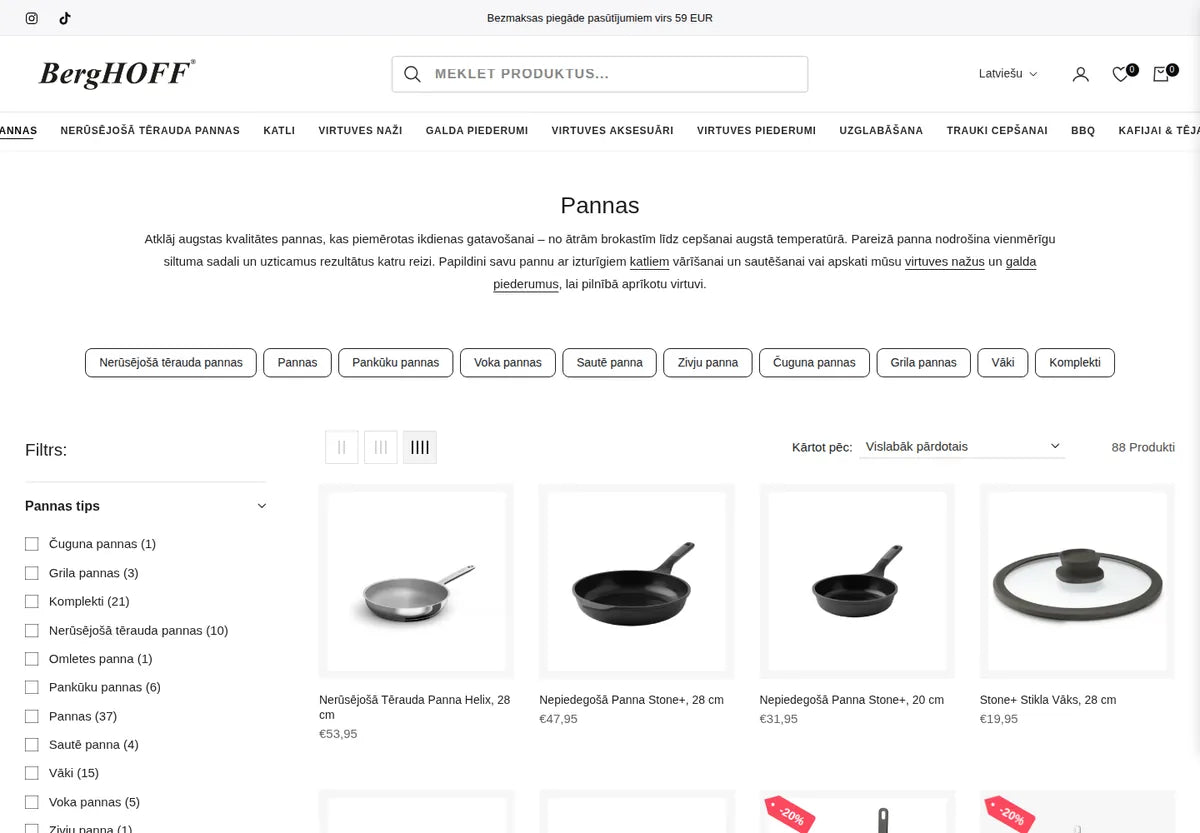
Sub-filters that lead to the right pan
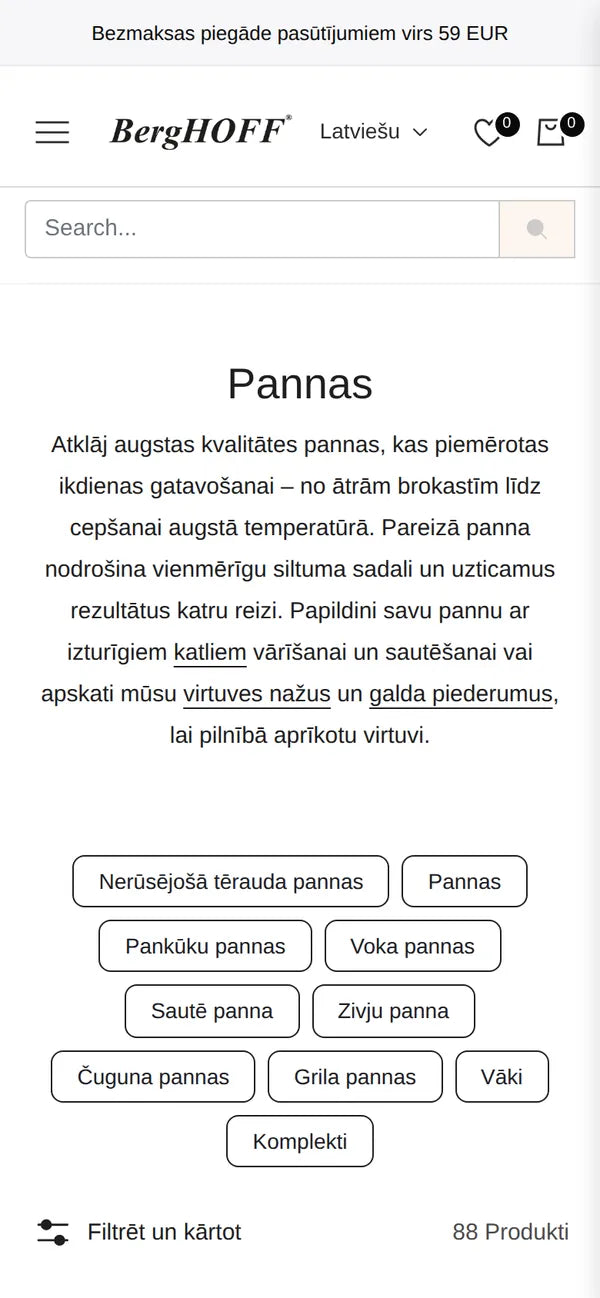
Each collection shows quick links to its sub-categories, set per collection with a Label|URL metafield — the team edits them in the admin.
The official BergHOFF store for Latvia carries a large catalogue of pans, pots, knives and kitchen tools. We built its custom section library — slideshow, collection banners, image banners, sub-filters and product page blocks — and a header that adapts when the menu runs out of room.
RESULTS
8
store languages every section supports
6
country markets on one store
THE BRIEF
Cookware shoppers browse by type — frying pans, pancake pans, woks, pots — and the catalogue keeps growing.
BergHOFF needed collection pages that guide people to the right sub-category, banners the team can swap for each campaign, and a header that never breaks when menu items are added or translated into longer languages.
WHAT WE BUILT
Every section is driven by settings and metafields, so categories, banners and product details are managed in the admin, not in code.
COLLECTION PAGES
Each collection shows quick links to its sub-categories, set per collection with a Label|URL metafield — the team edits them in the admin.
SMART HEADER
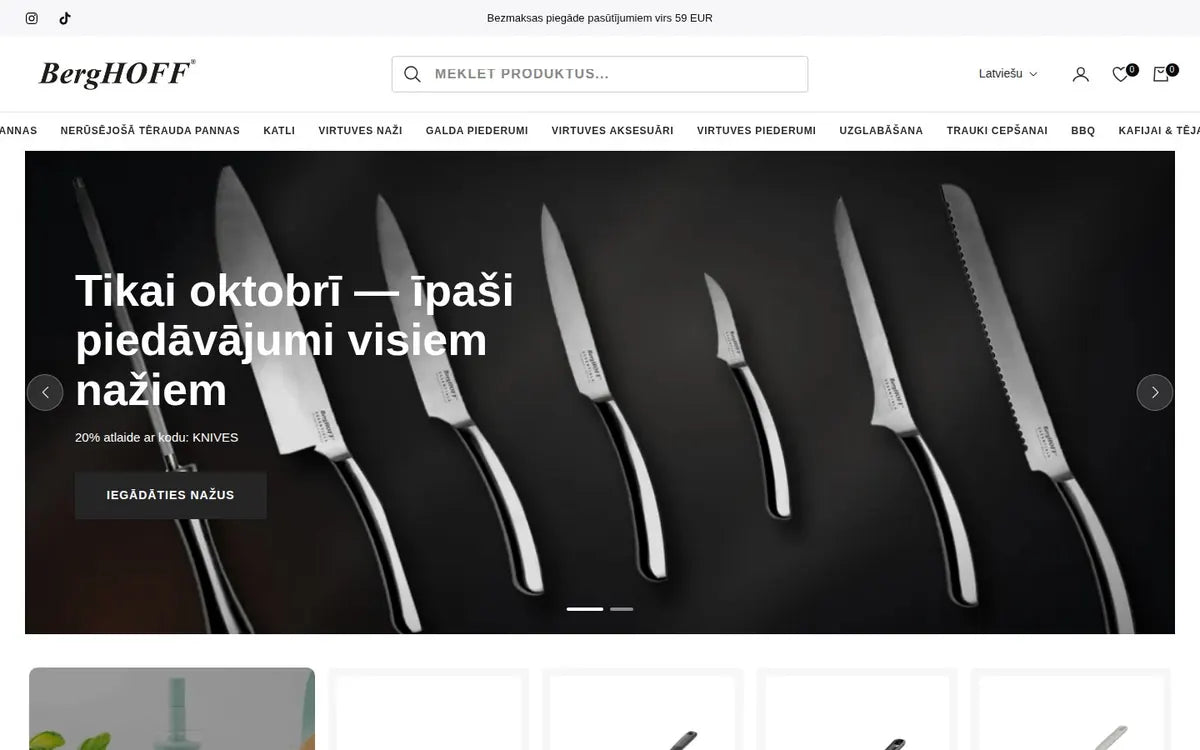
A script measures the menu and switches to a compact style when the items don’t fit — useful when a language runs longer.
8 LANGUAGES
All section texts come from settings, so every language version uses the same templates.
SLIDESHOW & BANNERS
A slideshow, collection banners and image banners the team swaps for each season.
PRODUCT PAGE
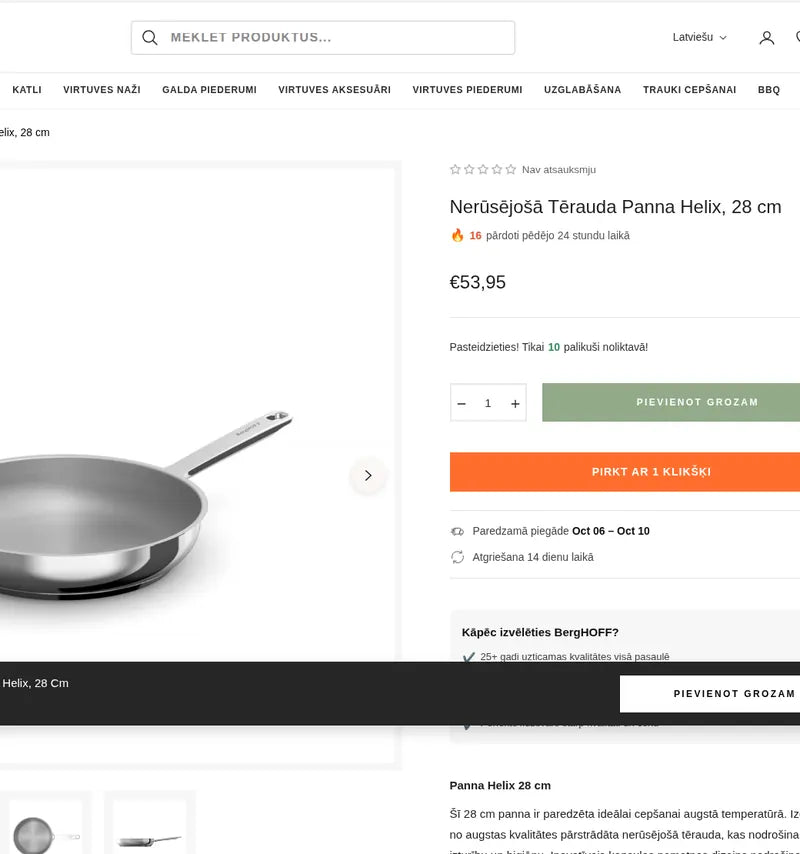
Product page blocks the team arranges per template — specifications, delivery notes and related products.
SECTION LIBRARY
The same sections build the homepage, collections and campaign pages.
MOBILE
On a phone the sub-category links wrap into easy tap targets above the product grid, and the header keeps search one tap away.

04 — WHO WORKED ON IT
 LEAD DEVELOPER · SECTIONS & NAVIGATIONLeanid Liabetski
STACK