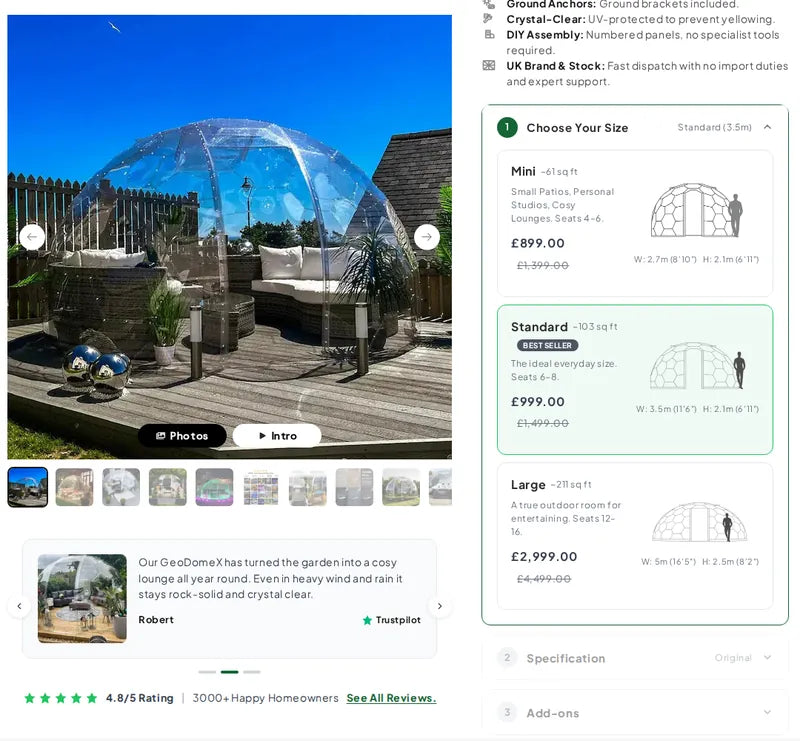
DOME CONFIGURATOR
Size, specification, add-ons — in three steps
Each step unlocks the next. Size cards show dimensions, seating and the saving; specifications explain what changes; add-ons only show what fits the chosen dome.
GeoDomeX sells geodesic garden domes — a high-ticket purchase with many options. We reworked the whole store on Dawn and built its centrepiece together with the client: a three-step dome configurator where shoppers pick a size, a specification and the add-ons that fit that size, with the total updating as they go.
RESULTS
3
steps — size, specification, add-ons
9
size and specification combinations
4
store languages
THE BRIEF
Every dome comes in three sizes and three specifications — and the right base, flooring and panels depend on the size you choose.
A standard variant picker can’t express that: some add-ons only fit one dome, the Large dome ships with the strongest panels only, and shoppers want the full price before they commit. GeoDomeX needed one guided flow, and a store around it that answers the questions people ask before a purchase this size.
WHAT WE BUILT
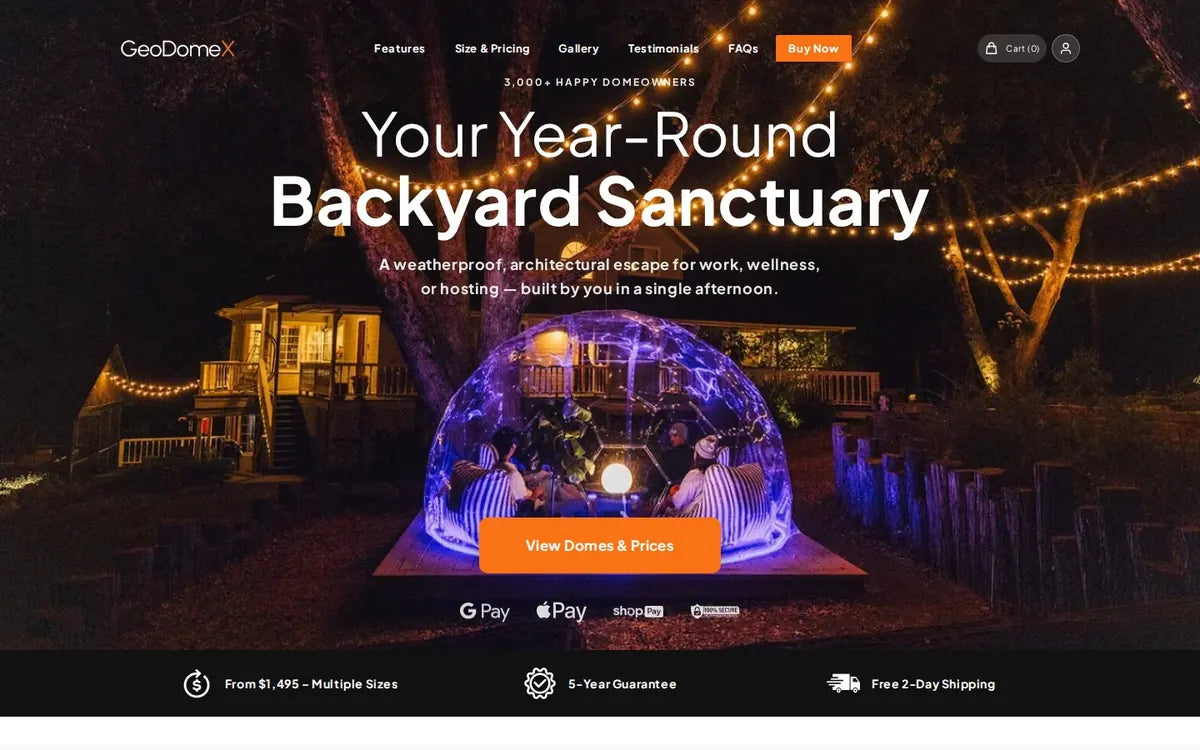
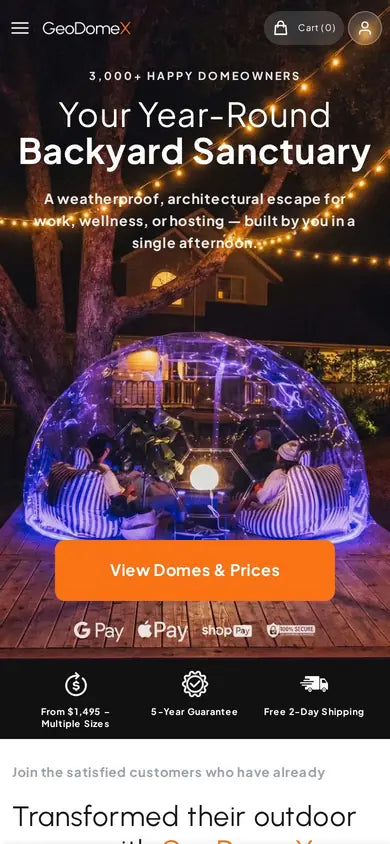
Built with the client over many rounds of feedback: the configurator, plus the hero, benefits bar, buy button and testimonials that lead to it.
DOME CONFIGURATOR
Each step unlocks the next. Size cards show dimensions, seating and the saving; specifications explain what changes; add-ons only show what fits the chosen dome.
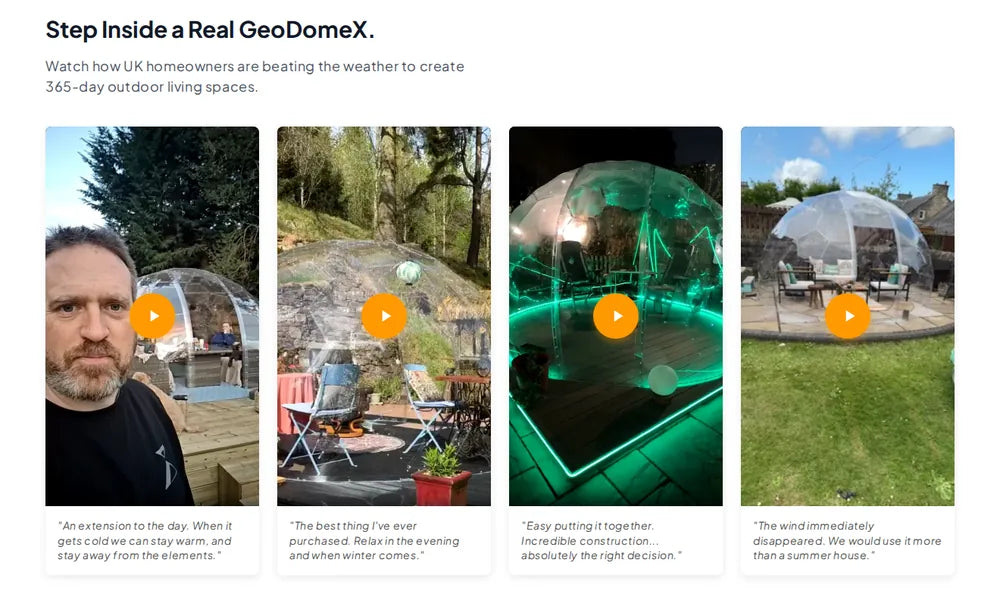
VIDEO TESTIMONIALS
We removed the auto-generated preview images from the video player, so testimonials load cleanly and stay accessible.
SMART RULES
The Large dome locks to the strongest panels, and bases and flooring follow the size you picked.
LIVE ORDER SUMMARY
Dome, add-ons, savings and total update as the build changes, with trust badges and payment options under the button.
BENEFITS BAR
Icons picked in the theme editor and aligned on a CSS grid, so every label sits level on any screen.
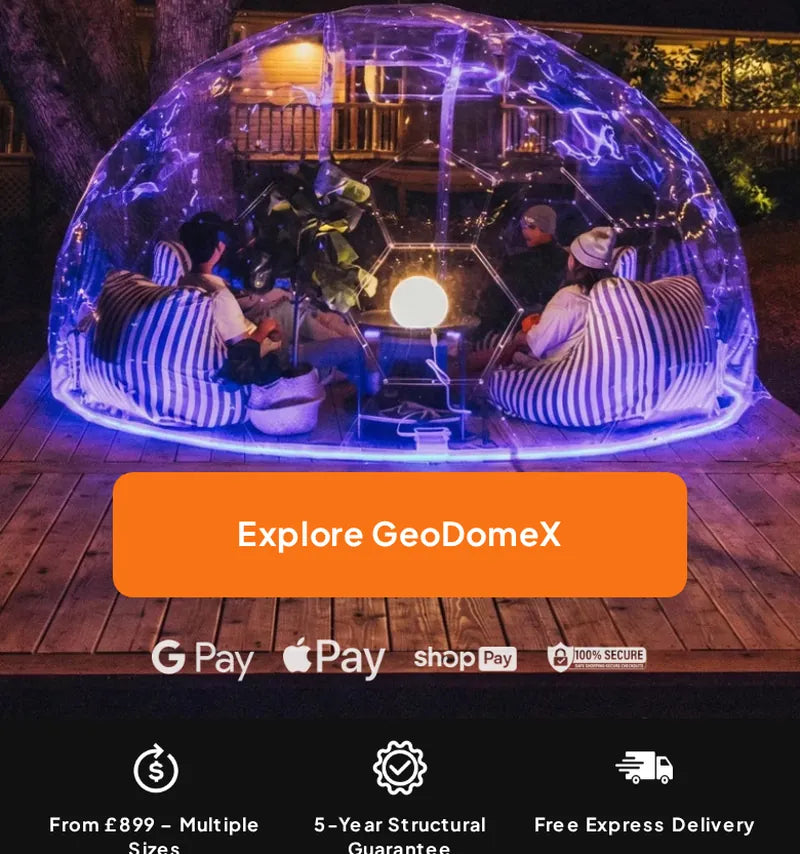
HERO + BUY BUTTON
A custom hero with the call to action and payment icons right under it.
FOUR LANGUAGES
Configurator labels and section texts come from settings, so the English, German, French and Spanish versions share one theme.
MOBILE
On mobile the steps stack into compact cards, and the order summary shows the dome, add-ons, savings and total right above the checkout button.

04 — WHO WORKED ON IT
 LEAD DEVELOPER · STORE & CONFIGURATORLeanid Liabetski
STACK